Never explain it twice.
Screen capture and recording for Mac, with a library that keeps it all searchable. Capture your screen or the web, mark it up, and share it.
Built for product teams, designers, support, comms, and marketers — anyone who’d rather show than type.
Works offline · Private by default · Optional sync & sharing · Free to use with light branding
However you need to say it
Capture it. Mark it up. Share it. Find it.
Pick the form that makes your point — a screenshot, a recording, a voice note, a slide deck, a QR code — then share it anywhere. Everything you make is saved, searchable, and synced to the people you choose, so it's there the next time someone asks.

 0:08
0:08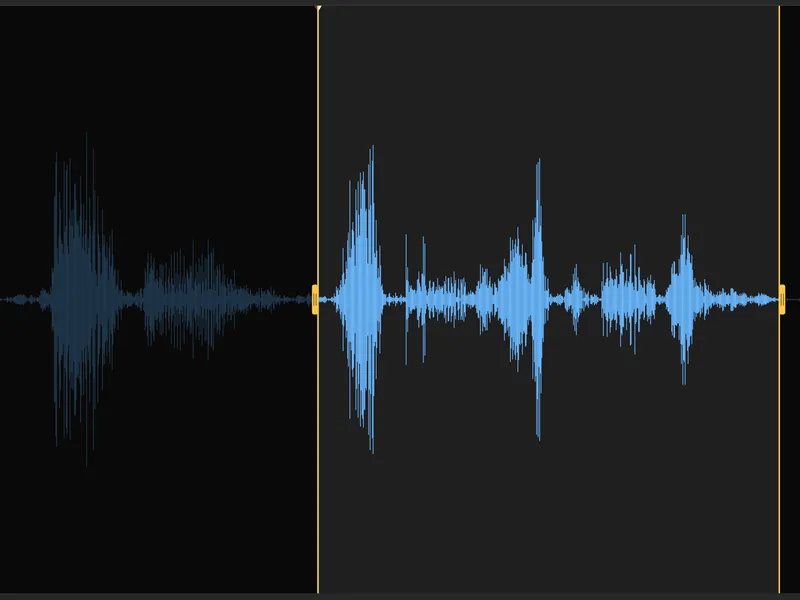
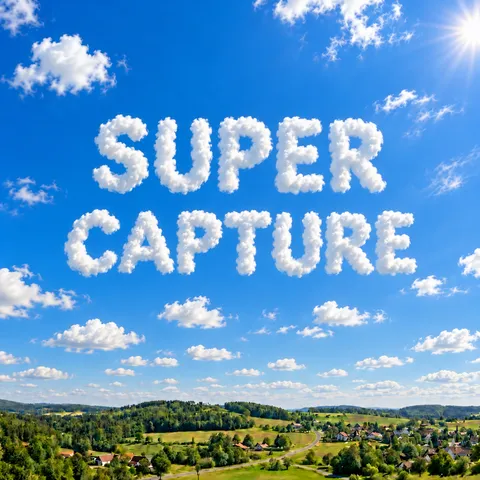


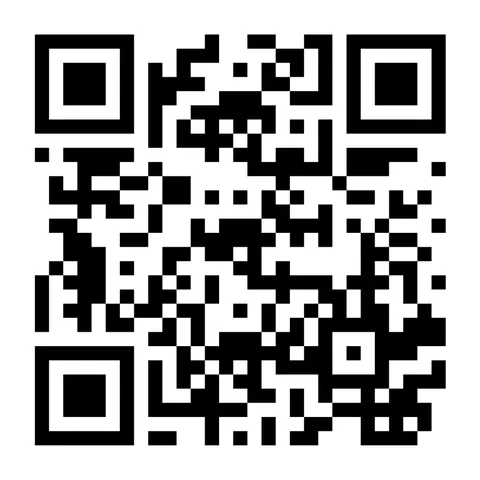
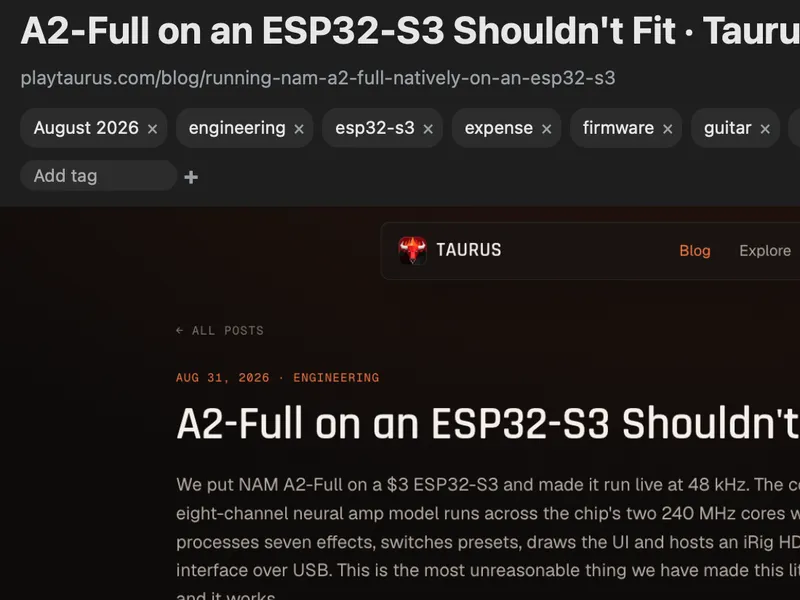
One app instead of seven — the screenshot tool, the screen recorder, the audio recorder, the markup app, the link-sharing service, the QR generator and the “read it later” app.
Sound familiar?
Built for the way you already explain things
Everyone uses a different slice — and it all lands in the same searchable, shareable library.
Founders & PMs
Record the walkthrough instead of writing three paragraphs.
Bug repros, feature demos, async updates — a 30-second clip with click highlights and zoom says it better.
Designers
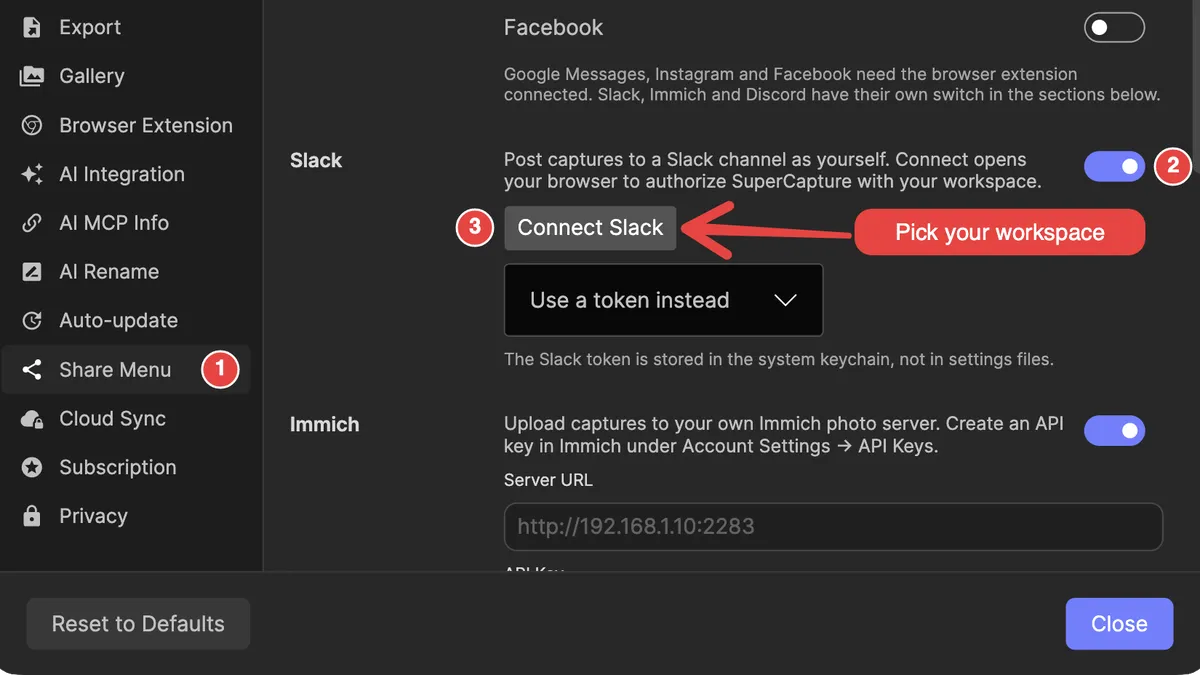
Annotate the build and drop it straight into Figma or Slack.
Pixel-perfect grabs, feedback arrows, and polished frames — drag-and-drop, no export dance.
Support & Success
Answer the ticket with a marked-up screenshot, not a paragraph.
Numbered steps and an arrow to the right button. Save it to a shared folder — answer once, reuse it every time the question comes back.
Comms & Docs
Keep the whole page, not just the part that fit on screen.
The article, the announcement, the competitor’s launch page — captured top to bottom, searchable, with its link. Slide decks come straight to PDF.
Marketers
Ship the demo GIF without a production crew.
Looping GIFs, social clips, and on-brand visuals — recorded, trimmed, and exported from one app.
Developers
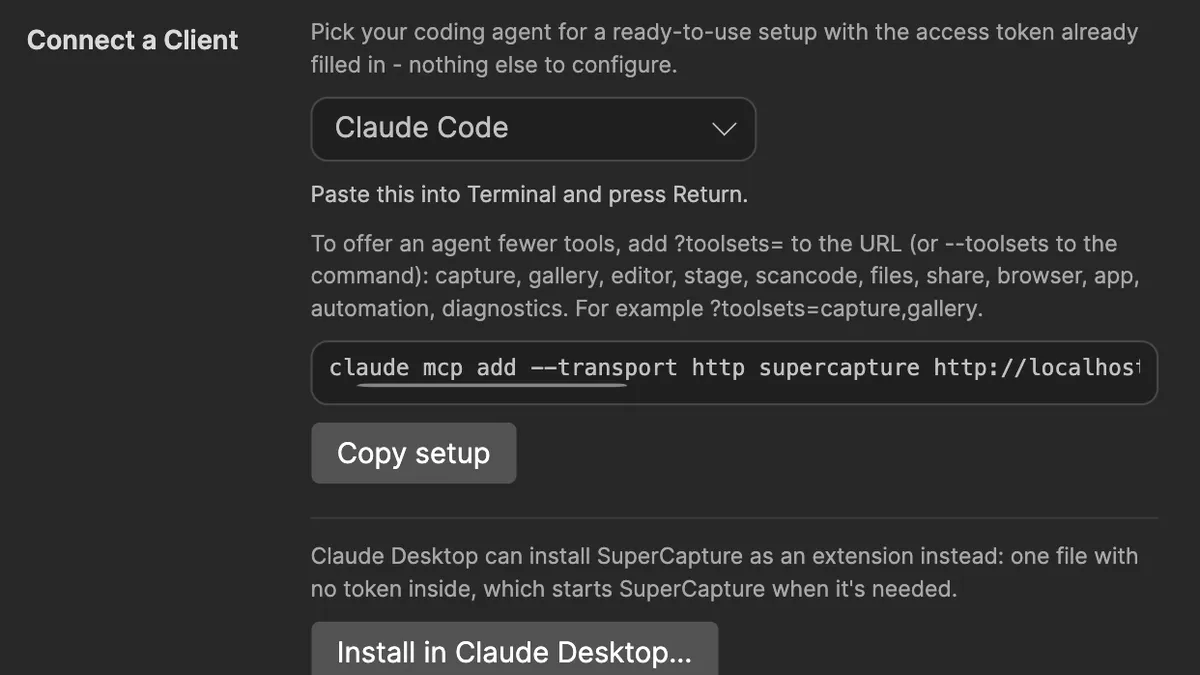
Automate captures over MCP — into docs, scripts, and AI agents.
Wire screenshots and screen recordings from any app into your workflow, programmatically.
The part other tools don't have
Every capture becomes part of a searchable library
Most capture tools end at the export. SuperCapture keeps everything — OCR'd, tagged, and organized into collections — so the screenshot you made last month is still one search away. Scales to tens of thousands of images.
Search by anything
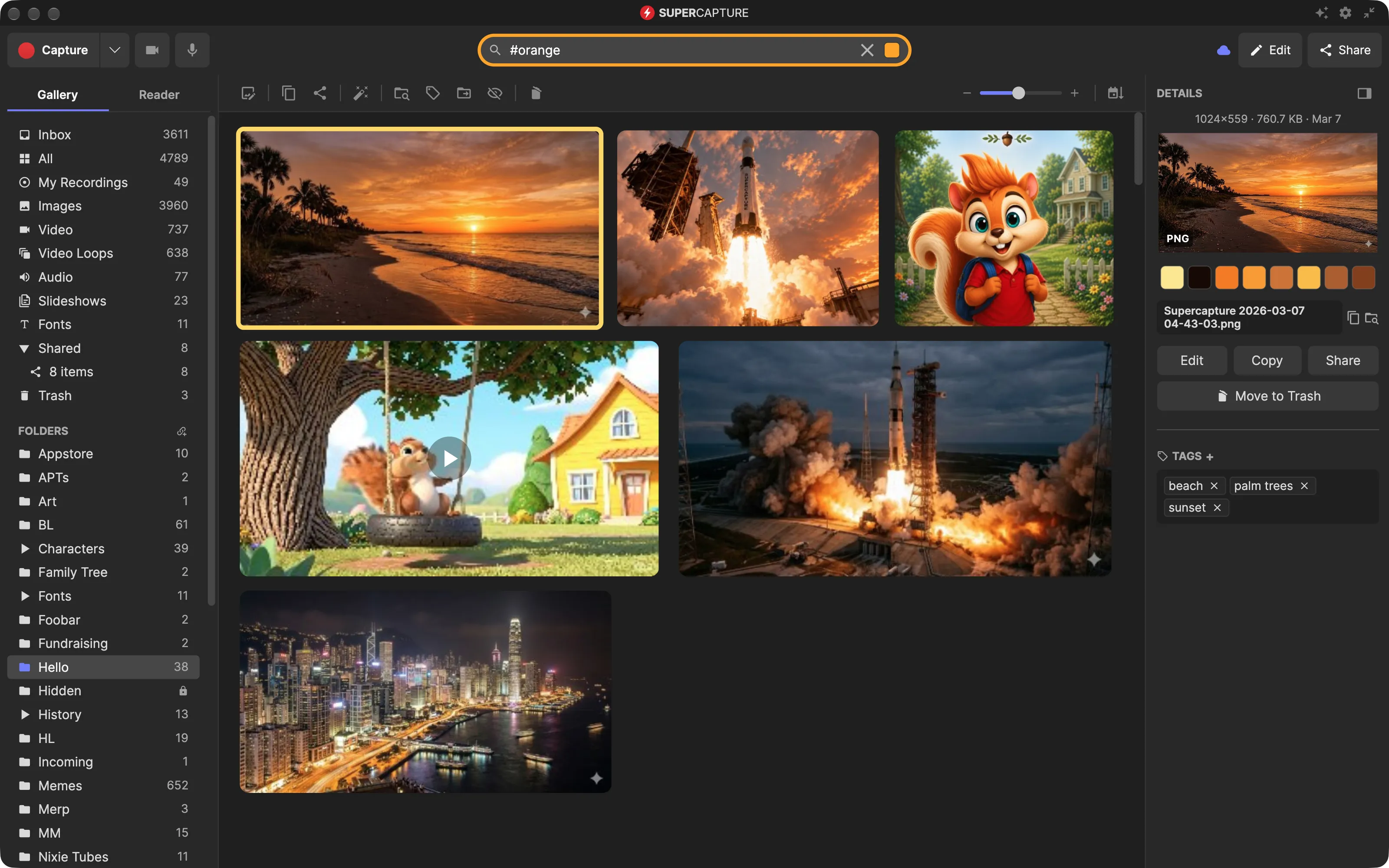
Find any capture instantly — by the text inside it, what it contains, its colors, or when you took it.
Text in images (OCR)
Every capture is automatically OCR'd — search by any text visible in the image
AI tags
Captures are auto-categorized — receipts, documents, apps, social media, and more
Color search
Find by hex value or color name — type #darkblue or #F87171
Type filters
Type pdf:, video: or audio: to list one kind of capture
Collections that scale with you
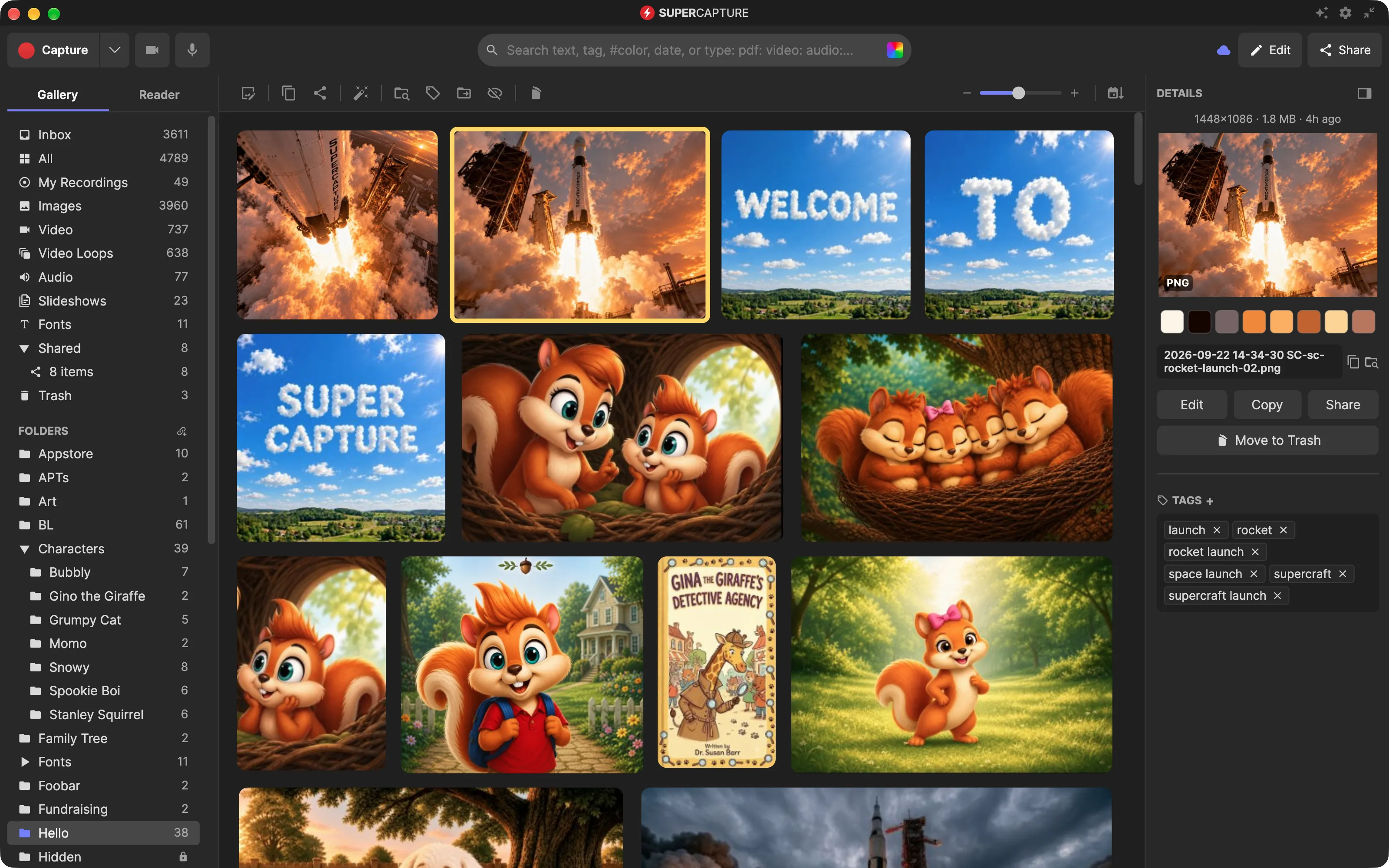
Organize thousands of captures into collections and subcollections. Never lose anything — deletions go to trash first, and hidden captures stay private.
Collections and subcollections for deep organization
Hidden view for private captures
Recoverable trash — never lose a capture by accident
Drag and drop to merge images together (hold Shift)
Export in common sizes with padding — perfect for App Store submissions
A command bar for everything
The toolbar right under the search bar gives you instant access to every operation — no menus, no hunting.
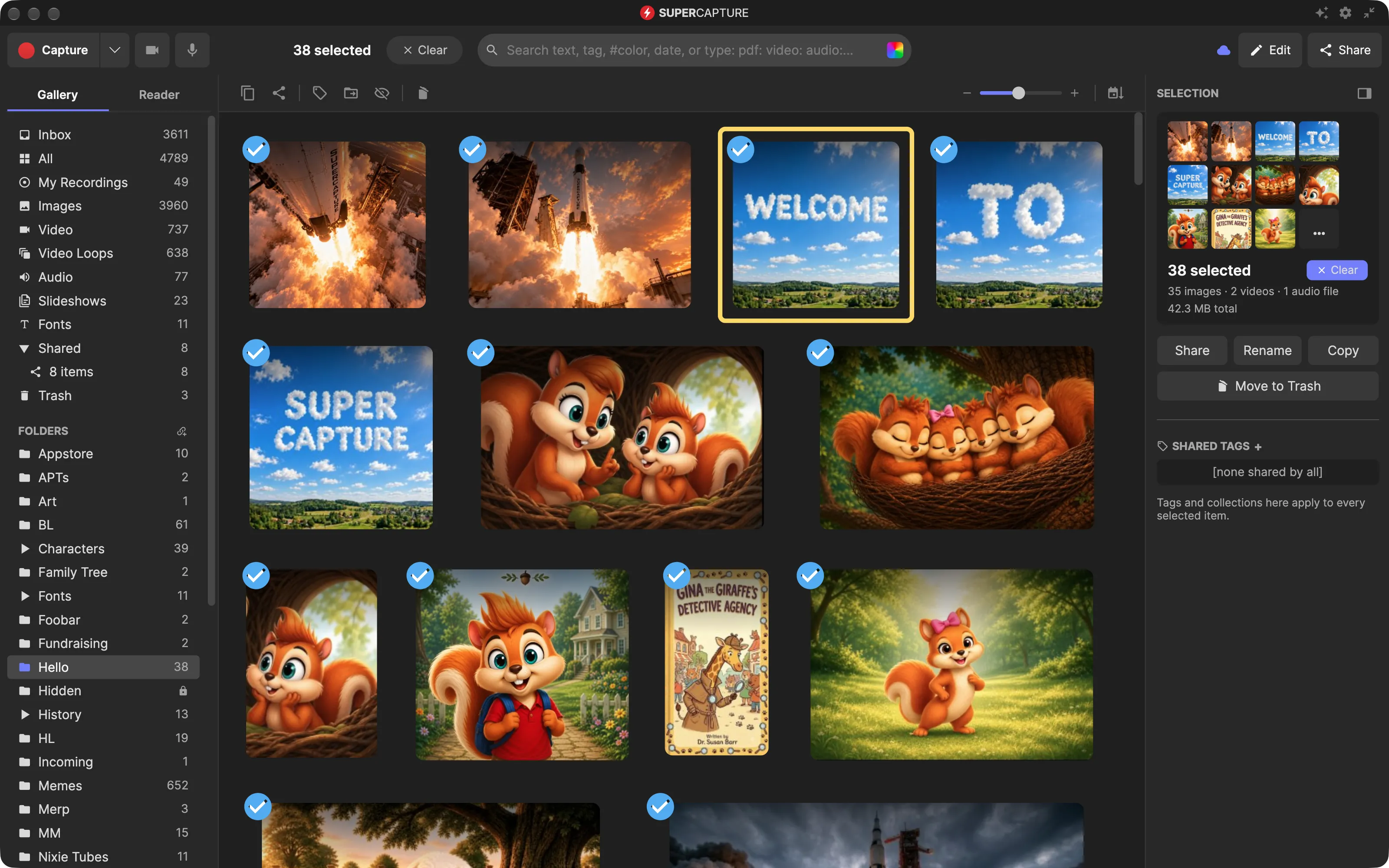
Extracted color palette
The details pane shows colors extracted from each capture — click any swatch to find similar images
Tags at a glance
See all AI-generated and custom tags in the details pane — click to find related captures
Filmstrip access
Your last 20 captures, always one click away at the bottom of every editor
Scales to tens of thousands of captures with smooth scrolling. All indexing happens locally on your Mac.
Share & review
Send a link. Get feedback right on the capture.
Share any capture as a web page. Anyone with the link opens it in a browser — no account, no app — and comments right on it: pinned to a spot in an image, or to a moment in a recording. Add a password or an expiry, and take the page down whenever you like. Comments come with Pro. It's opt-in — leave the cloud off and everything stays on your Mac.
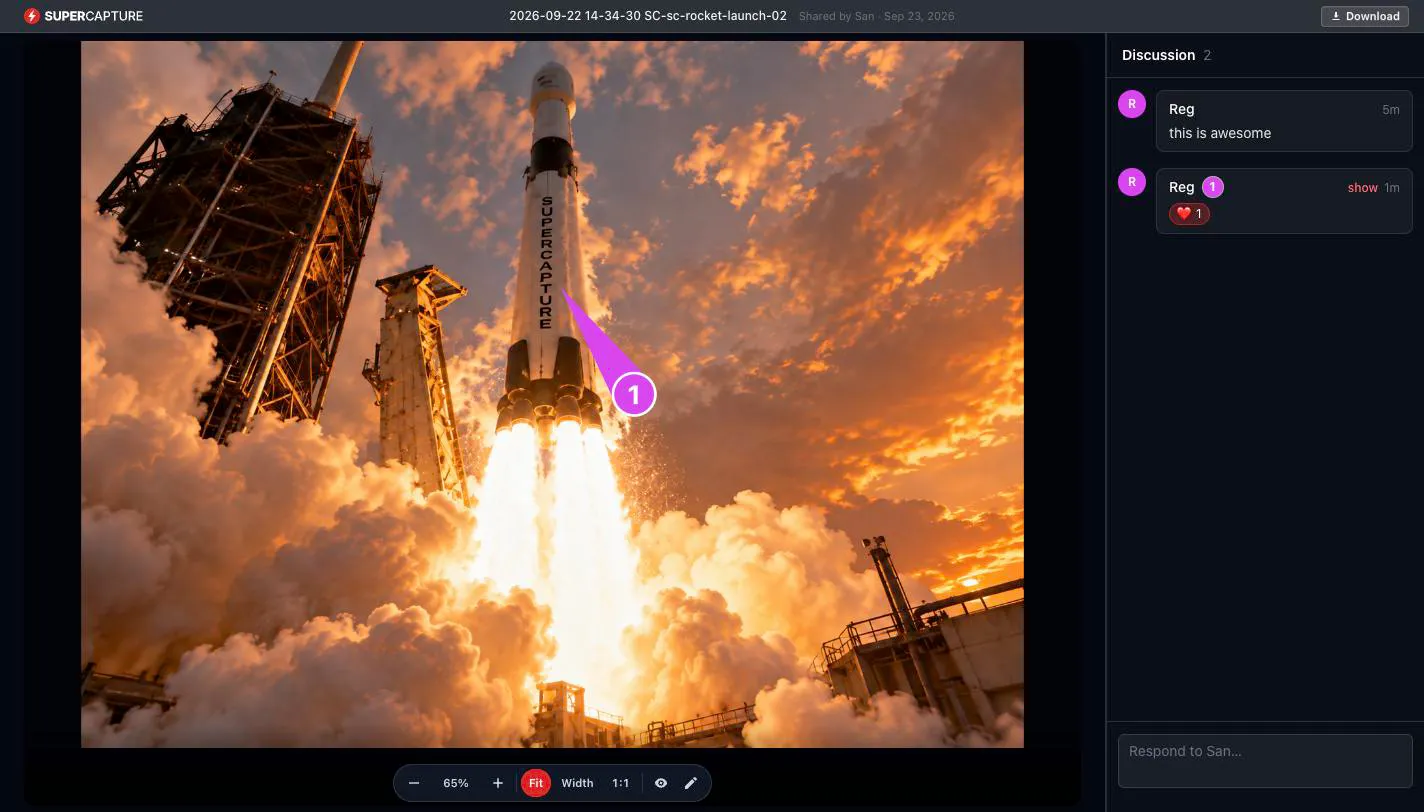
Reviews anyone can join
Send a link instead of a file. Reviewers leave comments, pins and reactions where they belong, and new replies show up live.
- Design reviews — pin a comment to the exact spot
- Recordings — feedback lands on the timeline and in your video editor
- Launch assets — up to 200 images or PDFs on one page
Shared folders for your people
Share a folder with family, friends or coworkers and it shows up in their SuperCapture library too — automatically.
- Trips and moments, in one album everyone adds to
- Receipts, warranties & manuals the whole household can find
- Recipes, finds & “we should try this” — saved where it'll be seen
Sync across devices
The folders and collections you choose to sync follow you across your Macs, with iPhone and Android apps coming soon.
Invite anyone
Invite people to a folder by email or link, as editors or viewers. You stay the owner and can stop sharing any time.
Private by design
We never look at your captures, never sell them, and never share them with third parties for their own purposes. Share pages stay out of search engines, and deleted items leave our servers within 30 days.
End-to-end encryption
Pro includes optional end-to-end encryption for capture files. Free and Individual sync use transport and storage encryption, without zero-knowledge protection. Compare encryption options.
Buying for a team?
Pro for teams adds per-seat billing on one invoice, with the option to keep originals in your own S3-compatible bucket. Get in touch and we'll set it up.
Cloud is entirely optional — without it, SuperCapture runs 100% on your Mac. Encryption options depend on your plan. Read our security overview and see how we handle your data in our Privacy Policy.
Capture anything
Every way to capture your screen
From a quick area grab to a full auto-scroll of a long page — capture exactly what you need, on one screen or many.
Every capture mode you need
Area capture
Select any region of your screen with pixel-perfect precision
Window capture
Capture any window — even ones hidden behind others — without rearranging your desktop
Screen & multi-screen
Capture a single display or all connected displays at once
Auto-scroll capture
Automatically scroll browsers to capture full-length pages, articles, and documents
Slideshow capture
Pages through slide decks — auto-detecting tools like Google Slides and Canva — into a multi-page PDF
The capture button is always one click away — in the gallery, in any editor, everywhere.
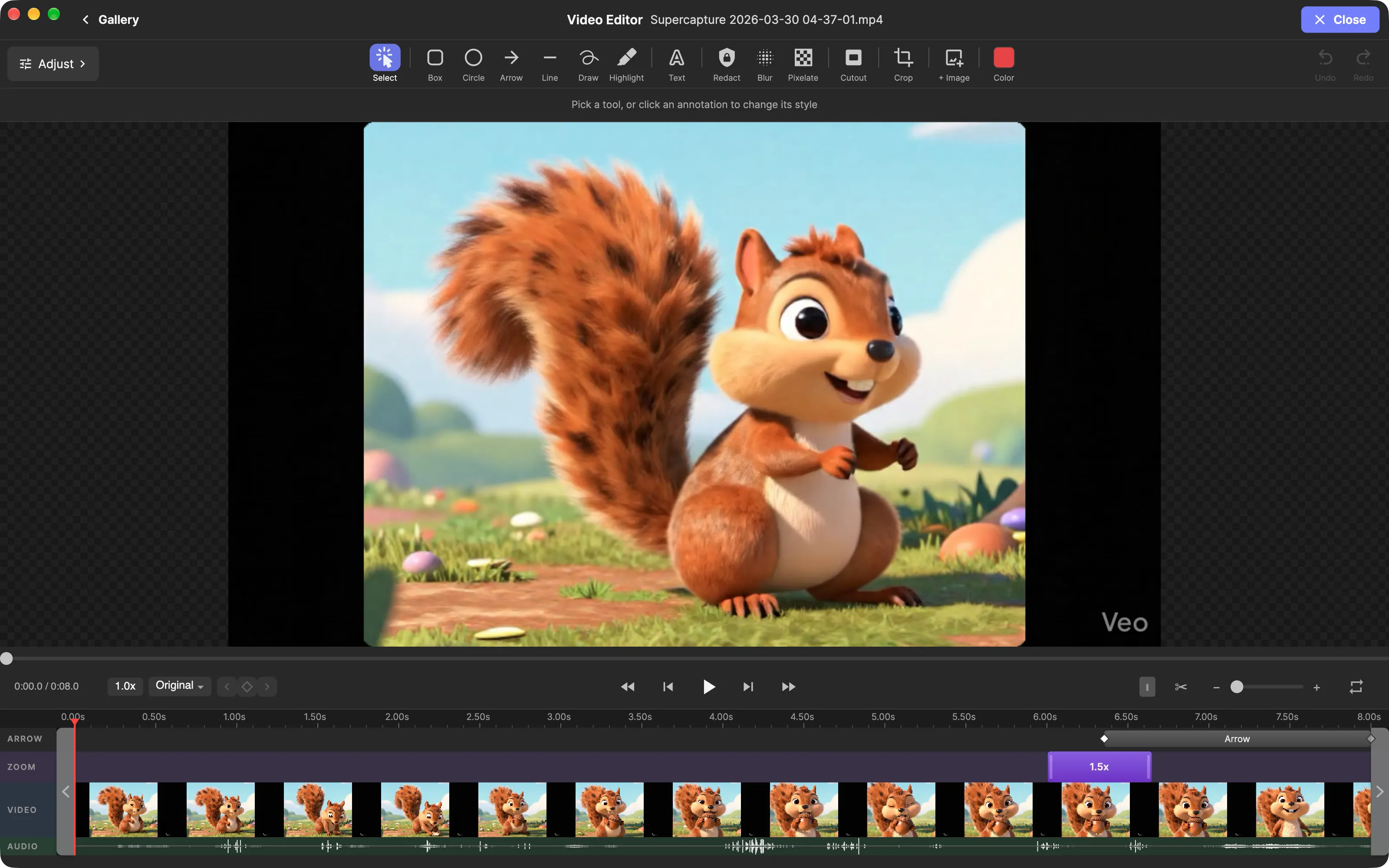
Screen recording, reimagined
A full-featured screen recorder — capture system audio, track mouse clicks, and layer animated annotations on top. Turn complex walkthroughs into clear, shareable videos. A 30-second screen recording replaces a 10-minute meeting.
Area, window, or full screen
Record exactly what matters
System & mic audio
Capture everything you hear and say
Mouse click tracking
Animated highlights on every click
Dynamic zoom
Set zoom regions that follow the cursor
Animated annotations
Keyframe arrows, text, and shapes
Export MP4 & GIF
H.264, H.265, or animated GIF
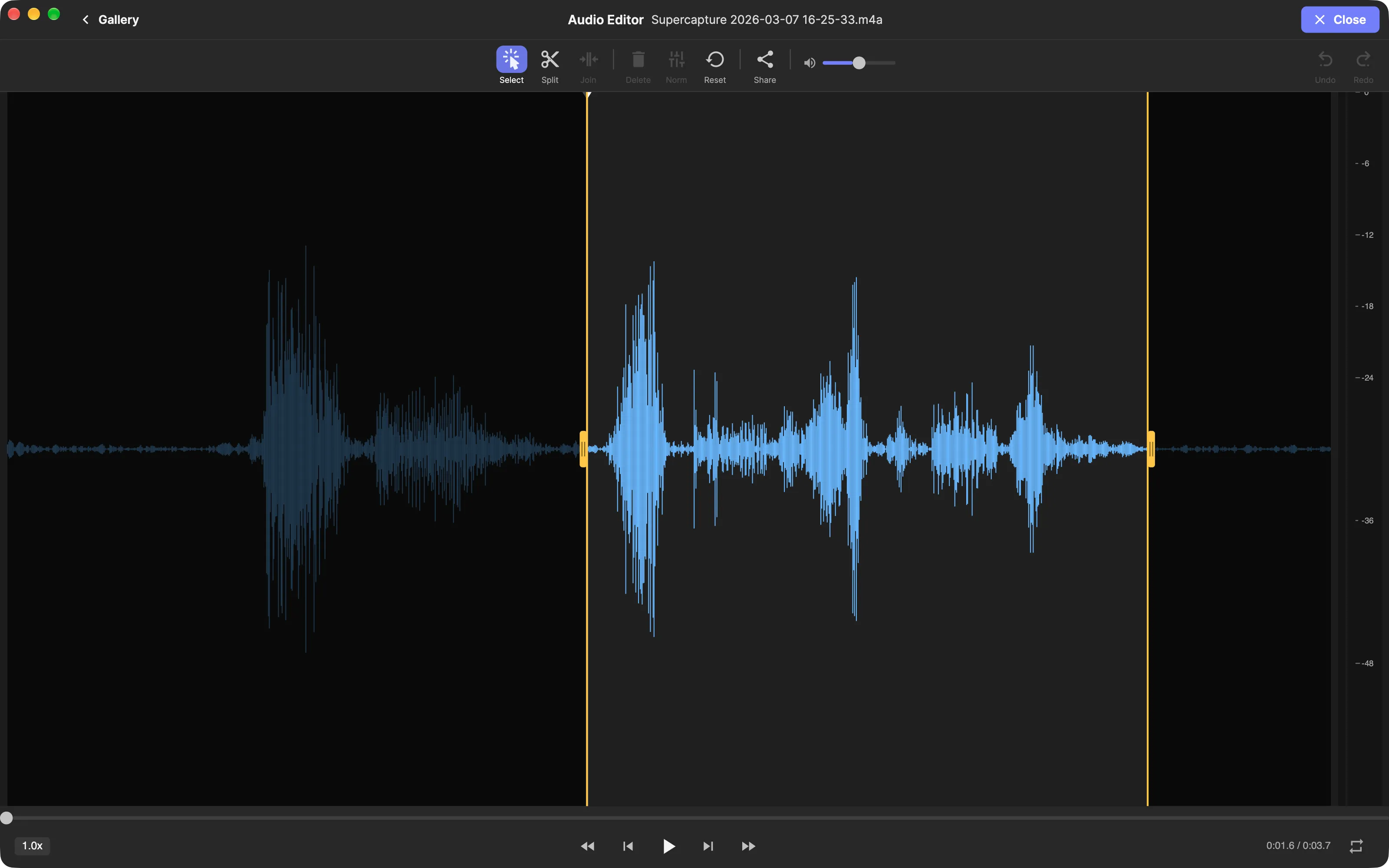
Crystal-clear audio, right from your Mac
Record from any source with built-in processing. Quick voice notes, meeting recordings, or podcast-quality audio — no extra software needed. Add your voice to the conversation — literally.
Any audio source
Record your microphone, your Mac’s system audio, or both
Built-in compressor & limiter
Consistent, professional audio levels without any setup
Trim & edit
Cut and blend regions in the integrated audio editor
Capture the web, right from your browser
Browser extensions for Safari, Chrome, Brave, and Firefox, with Edge coming soon. Capture full pages, slide decks, images, or bookmark anything for later.




Scrolling capture
Capture entire web pages seamlessly — even the full front page of the New York Times.
Slideshow capture
Grab a 20-page slideshow in one click — step through any presentation automatically.
Capture images
Save images directly from web pages into your library — no drag and drop needed.
Bookmark for later
Save any page as a reference bookmark in your SuperCapture library for quick access.
Close the 47 tabs
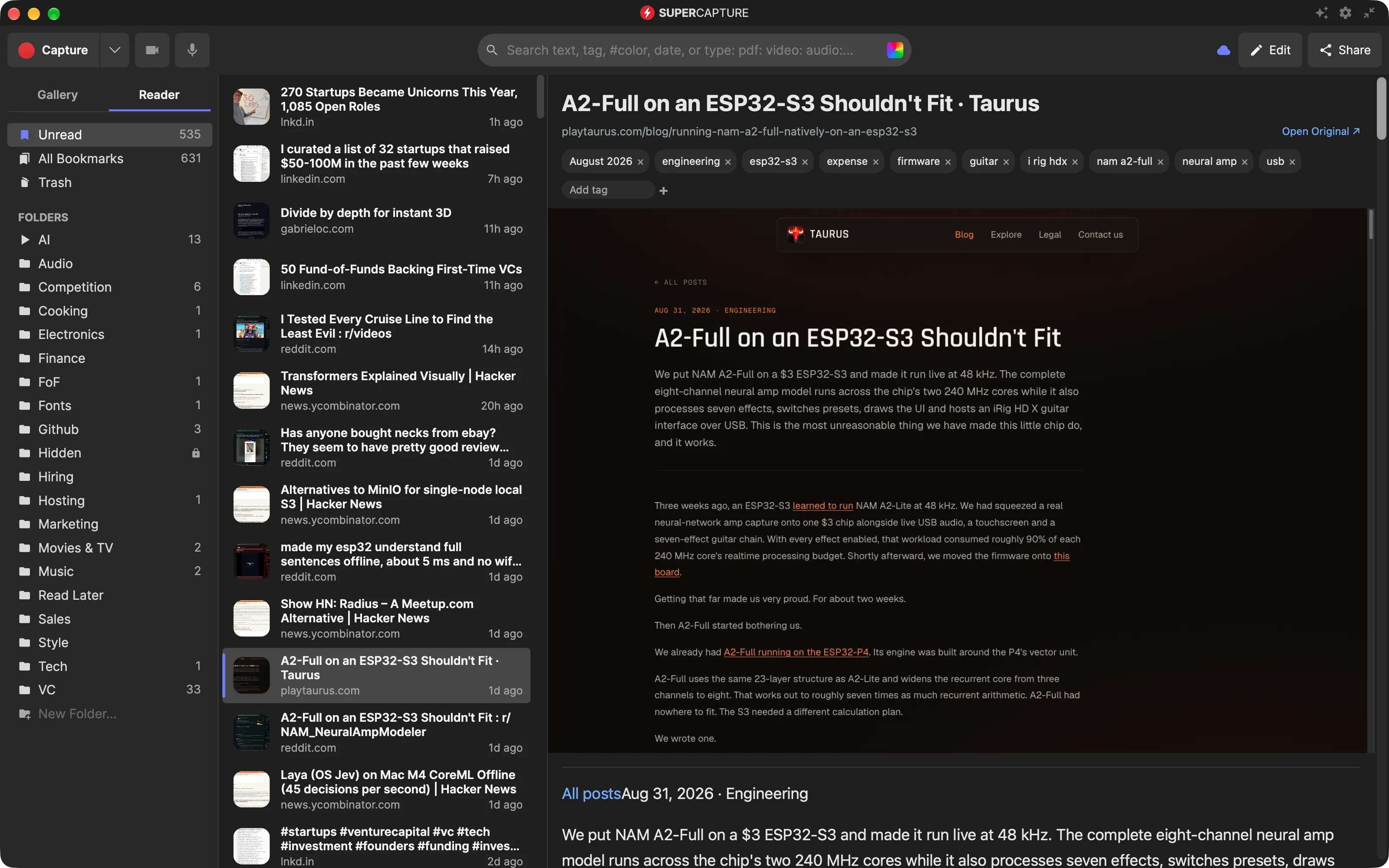
The one capture you keep for yourself. Bookmark a page — or grab the whole thing top to bottom — then find it again later by typing what you remember. Your “read it later” list becomes a searchable library instead of a wall of tabs you'll never reopen.
Bookmark any page
Save a page as a reference — with a screenshot and its readable text pulled in.
Capture the whole page
Auto-scroll grabs the full length of an article or document in one shot.
Find it by its text, later
Every saved page is OCR'd and searchable, so “later” actually happens.
Mark it up
Edit and annotate in seconds
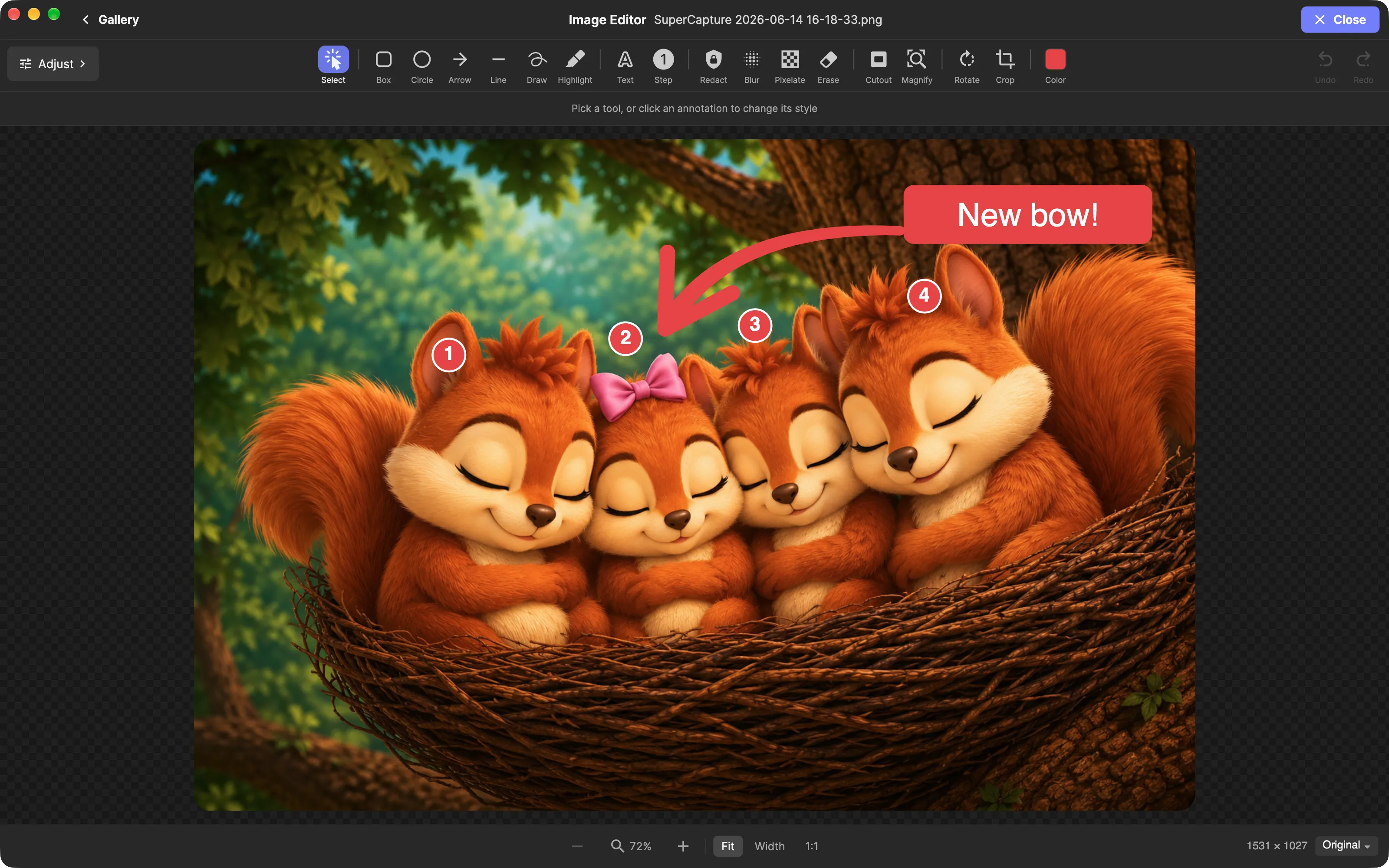
A full editor built for captures. Annotate, redact, magnify, crop, and add frames — then export anywhere. One annotated screenshot replaces a dozen messages.
Arrows, shapes & text
Draw callouts that point to exactly what matters
Crop & straighten
Trim to the relevant area, or level and turn the picture
Redact sensitive info
Secure redaction for secrets; blur and pixelate for the rest
Numbered steps
Guide viewers through step-by-step instructions
Magnify
Zoom into fine detail with adjustable magnification
Standard PNG export
No proprietary formats — works everywhere
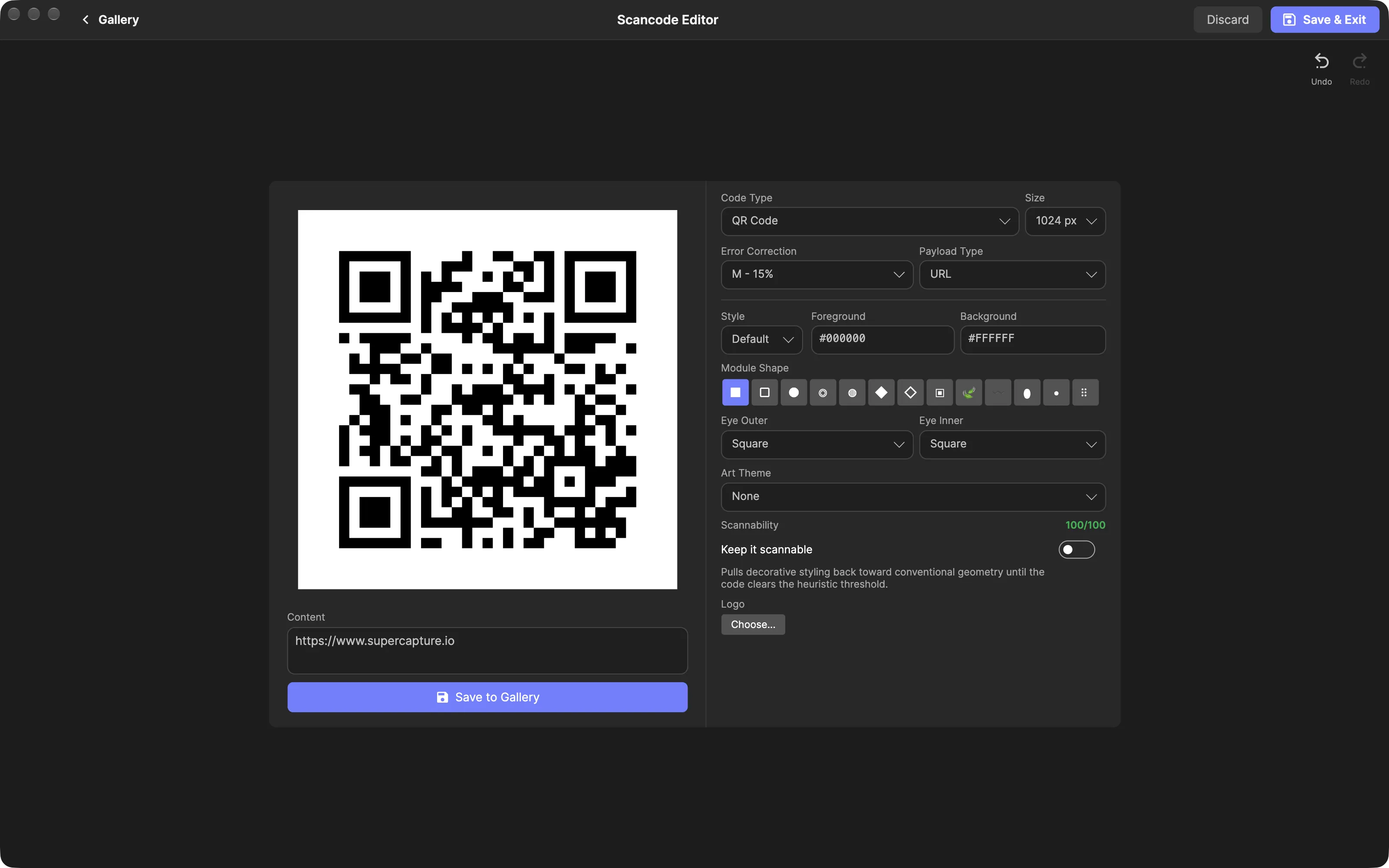
Generate QR codes & barcodes — and make them yours
Encode a link, Wi-Fi network, contact card, or any text. Style it with your colors, shapes, and logo, then export it anywhere — and reopen it to edit later, right from your gallery.
Encode anything
URLs, Wi-Fi, contacts, email, phone, or plain text
Make it on-brand
Custom colors, module shapes, and an embedded logo
Print-ready sizes
Save as PNG at up to 4096 pixels, sharp on screen and on paper
Edit any time
Saved in your gallery — reopen to change content or style
Off the clock
And for everything else
The same fast loop — capture, mark up, share, find — runs your household too.
Trips & moments
A shared album the whole family adds to from their Macs, with optional cloud sync.
Receipts, warranties & manuals
Snap it and forget it — OCR makes every word findable years later, even “that one with the serial number.”
Recipes & read-it-later
Bookmark the article, capture the whole page, close the tab. Find it again by typing what you remember.
Home projects
Before-and-after shots, measurements, paint colors — annotated, organized, and shareable with whoever's helping.
Learning & teaching
Capture slides, record lessons, and build step-by-steps with numbered callouts.
Whatever comes up
Error messages for the family IT department, listings you're comparing, forms you'll need again — it all lands in one searchable place.
Everything you need. Nothing you don't.
One app replaces your screenshot tool, screen recorder, audio recorder, and file organizer. Free core tools, with optional paid plans for sync and sharing.
Smart Gallery
- Database-backed instant search
- OCR on every capture
- AI auto-categorization and tagging
- Search by color (hex, CSS, English)
- Date-based search and filtering
- Collections and subcollections
- Command bar with batch operations
- AI background removal
- QR code and barcode extraction
- Export with custom sizing and padding
- Gallery and Reader views
- Hidden view and recoverable trash
- Search by type — image, video, audio, PDF, bookmark
Capture
- Area, window, and full-screen capture
- Multi-screen capture
- Auto-scroll for long pages and documents
- Slideshow capture with PDF export
- Safari, Chrome, Brave, and Firefox extensions (Edge coming soon)
- Scrolling capture (full web pages)
- Bookmark pages for later reference
- Countdown timer
- Automatic desktop icon hiding
- Automatic wallpaper removal
- Mac app, with web share pages (mobile apps coming later)
Annotation Suite
- Arrows with adjustable bend points
- Boxes, circles, and lines
- Text callouts with multiple tails
- Numbered step markers
- Redact — secure, blur, pixelate, or erase
- Magnify with adjustable zoom
- Pencil with stroke smoothing
- Highlighter
- Crop
- Spotlight — dim everything outside the focus
- Background removal
Video Recording
- Area, window, and full-screen recording
- System and microphone audio
- Application audio capture
- Mouse click tracking and highlights
- Dynamic zoom regions
- Animated annotations with keyframes
- Export MP4 (H.264/H.265) and GIF
- Trim and playback preview
Audio Recording
- Record from any audio source
- Built-in compressor and limiter
- Trim and blend in integrated editor
- Application audio capture
Formats & Sharing
- Standard PNG — works everywhere
- Annotations embedded via PNG extensions
- No proprietary file formats
- Drag-and-drop into any app
- Frames and gradient backgrounds
- Custom gradient builder
- Combine multiple images
- QR code & barcode generator
Designed for speed
Instant scroll and search through huge galleries
Open PNG format
No proprietary files — your screenshots work everywhere
Local by default
Runs entirely on your Mac — cloud sync is opt-in
Local by default
Your captures. Your Mac. Your call.
OCR, AI categorization, and search all run locally on your Mac. Nothing leaves your machine unless you turn on SuperCapture Cloud — and even then, we never look at your data, sell it, or share it.
100% local processing
Capture, OCR, AI tagging, and search all run on your Mac — no servers involved
Local OCR engine
Text recognition without sending a single image to the cloud
Local AI categorization
Smart tagging and sorting powered by on-device models
Works offline
Capture, edit, and search with no internet — cloud sync is optional
No account to start
Install and start capturing — an account is only needed for Cloud
Standard file formats
PNG files you can open, share, and edit with any tool
Other tools force you into the cloud for core features. With SuperCapture, the cloud is opt-in — your data stays on your Mac until you decide otherwise.
Ready to never explain it twice?
One app for screenshots, video, audio, and a library that remembers everything — shared with the people who need it. Local by default, yours always.
Use it free with light branding, or upgrade for clean exports, unlimited library sync, share links people can comment on & end-to-end encryption.
Works offline · Private by default · No account to start